


Have you ever worried about losing your important files or wanted to open them from anywhere? Dropbox solves this problem. Dropbox is a cloud storage platform that helps you save, access, and share files safely online.
In this guide, you will learn what Dropbox is, why people buy it, and the key Dropbox features you must know in 2026, all explained here for you.
Overview of Dropbox?
Dropbox is an online file storage service that works through the internet. Instead of saving your files only on your computer, mobile phone, or external hard drive, Dropbox allows you to store them safely in the cloud. This means your files are saved online and not tied to just one device.
With Dropbox, your important data stays protected even if your device gets lost, damaged, or stops working. You can upload your files once and access them anytime, from anywhere, as long as you have an internet connection.
Dropbox allows you to store many types of files, such as:
- Documents like Word files and spreadsheets
- Photos and images
- Videos
- PDFs and complete folders
After uploading, you can open, download or share your files using a laptop, an Android phone, or an iOS device without any trouble.
How Does Dropbox Help You?
Dropbox automatically keeps your files updated across all your devices. This process is called file syncing. When you edit or change a file on one device, Dropbox instantly updates that file everywhere else.
For example, if you update a document on your laptop, the same updated file will appear on your phone or tablet. You don’t need to save or send files again.
Because of this Dropbox is helpful for:
- Students who want to access notes anytime
- Office workers who handle documents daily
- Businesses that manage large amounts of data
- Teams working together on the same files
Everyone can view the latest version of a file without confusion.
Dropbox Analysis
Dropbox makes file management easy and stress-free. You don’t need any pen drives, hard disks or long email chains to share files. Everything stays organized in one secure online space.
It saves time, improves teamwork, and reduces the risk of losing important data. With Dropbox, your files are always safe, updated and ready whenever you need them.

Why Should You Purchase Dropbox?
Dropbox offers a free plan, but it comes with only 2GB of storage, which gets full very quickly. If you regularly work with documents, photos, videos, or business files, the free plan may not be enough. A paid Dropbox plan gives you more storage, better security, and powerful tools that make daily work easier and safer.
Below are the main reasons to purchase Dropbox.
1. Large Storage Space
Paid Dropbox plans give you plenty of storage so you don’t have to worry about running out of space.
- Individuals get up to 2TB of storage, which is enough for thousands of files
- Business users can get up to 15TB of storage for teams
This enables you to store documents, images, videos, and backups without deleting old files.
2. Easy and Safe File Sharing
Dropbox makes file sharing simple and secure. You can share files or folders using a link and control how others access them.
- Add password protection to shared links
- Set expiry dates so links stop working after a certain time
- Choose who can view, edit, or download files
These features help keep your private and business data safe.
3. Strong Security for Your Files
Dropbox uses advanced security features to protect your data from loss or misuse.
- Data encryption keeps your files safe from unauthorized access
- File recovery lets you restore deleted or old versions of files
- Dropbox Vault adds extra protection for sensitive documents
- Remote device delete removes files from lost or stolen devices
Even if your device is missing, your data stays secure.
4. Offline Access Anytime
With a paid Dropbox plan, you can access important files even when there is no internet connection.
- Open and edit files offline
- Changes are automatically updated as soon as you reconnect to the internet
This feature is useful while traveling or working in low-network areas.
5. Useful App Integrations
Dropbox connects easily with popular work tools, helping you manage everything in one place.
- Microsoft 365 for documents and spreadsheets
- Google Workspace for collaboration
- Slack for team communication
- Zoom for meetings and file sharing
These integrations improve workflow and save time.
6. Business Tools and 24/7 Support
Dropbox business plans include advanced tools designed for teams and companies.
- Admin controls to manage users and permissions
- Activity tracking to monitor file usage
- 24/7 customer support for quick help anytime
These features make Dropbox a reliable choice for businesses of all sizes.
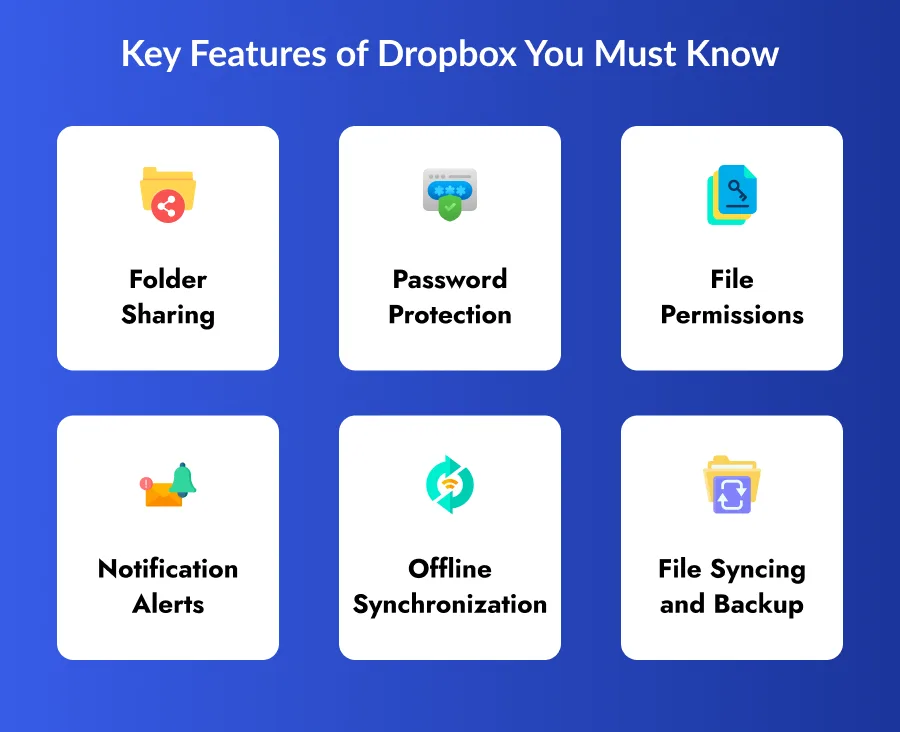
Key Features of Dropbox You Must Know
Dropbox has several powerful features that make file storage, sharing, and teamwork simple.
Below are the most important Dropbox features:
1. Folder Sharing
Dropbox allows you to share entire folders with others using a simple link. You don’t need to send files one by one. Anyone who receives the link can access the folder, even if they do not have a Dropbox account.
This feature is very helpful for teams and businesses because multiple people can view or work on the same files at the same time.
Benefit: Enables quick and easy sharing of multiple files at once.
2. Password Protection
Dropbox allows you to protect shared files and folders with a password. Only users with the correct password can access the files.
This feature is useful when you are sharing private or important documents such as business reports, contracts, or personal files.
Benefit: Keeps shared files secure from unauthorized access.
3. File Permissions
While using Dropbox, you have full control over who can access your files. You can decide whether someone can only view the file or also edit and share it with others.
You can:
- Allow viewing only
- Allow editing
- Stop others from sharing files further
Benefit: Prevents unwanted edits and data misuse.
4. Notification Alerts
Dropbox sends automatic notifications whenever someone makes changes to files or adds new folders. This helps you stay informed without having to check files again and again.
Notifications are especially useful for teams working together on shared projects.
Benefit: Keeps everyone updated in real time.
5. Offline Synchronization
Dropbox allows you to access important files even when you are not connected to the internet. You can open and edit files offline, and Dropbox will sync all changes once you are back online.
This is helpful while traveling or working in places with poor internet connectivity.
Benefit: Allows uninterrupted work during travel or poor internet.
6. File Syncing and Backup
Dropbox automatically saves and updates your files across all devices. Every change you make is backed up and older versions of files are stored safely.
If you accidentally delete or change a file, you can restore a previous version easily.
Benefit: Protects files from accidental loss or deletion.
Dropbox Pricing Structure
Dropbox offers multiple pricing plans so users can choose based on their storage needs and work style. There is a free plan for basic use, but most useful features come with paid plans.
1. Dropbox Basic (Free Plan)
- Cost: $0
- Best for: Individuals who want to try Dropbox for simple file storage
- What you get: 2GB cloud storage, Connect up to 3 devices, Automatic file backup
Limitations: The storage space is very small, so it fills up quickly and is not suitable for regular or professional use.
2. Dropbox Plus
- Cost: $9.99/month (yearly) or $11.99/month (monthly)
- Best for: Freelancers and individuals who need more storage
- What you get: 2TB storage, 50GB file transfer, 30 day file recovery and version history
Limitations: This plan does not offer advanced team collaboration tools.
3. Dropbox Essentials
- Cost: $16.58/month (yearly) or $19.99/month (monthly)
- Best for: Professionals and content creators
- What you get: 3TB storage, 100GB file transfer, Advanced file-sharing controls
Limitations: Team collaboration features are still limited.
4. Dropbox Business
- Cost: $15/user/month (yearly) or $18/user/month (monthly)
- Best for: Small to medium-sized teams
- What you get: Up to 9TB shared storage, Admin panel for user management, Better collaboration and sharing tools
Limitations: Per-user pricing can increase costs for growing teams.
5. Dropbox Business Plus
- Cost: $24/user/month (yearly) or $30/user/month (monthly)
- Best for: Large businesses and enterprises
- What you get: Starts with 15TB shared storage, 1-year file recovery, Priority email and live chat support, Detailed activity tracking and reports
Limitations: This plan is more expensive and best suited for large organizations.
How to Use Dropbox in a More Useful Way?
Dropbox can do much more than just store files. You can make Dropbox more useful by connecting it with other tools and by using its built-in extensions. These features help you work faster, collaborate better, and manage files more efficiently.
Use Integrations with Other Tools
Dropbox works well with many popular business and productivity tools. These integrations allow you to edit, share, and import files without leaving Dropbox.
Some commonly used tools include:
- Microsoft 365: Edit Word, Excel, and PowerPoint files directly from Dropbox with real-time updates.
- Slack: Share Dropbox files in chat conversations and get notifications when files are updated.
- HubSpot: Import files from Dropbox into your sales and marketing workflows easily.
These integrations reduce extra steps and save time by keeping all your work connected in one place.
Use Official Dropbox Extensions
Dropbox also offers official extensions that add advanced features and improve daily work efficiency.
- Dropbox Backup: Automatically backs up important files and protects data during system failure or when moving to a new computer.
- Dropbox Sign: Allows you to add legally valid digital signatures to documents for sending, requesting, and tracking approvals.
- Dropbox DocSend: Helps you securely share files and track how recipients view them, including which sections they spend the most time on, useful for business deals and presentations.
- Dropbox Capture: Lets you record screens and create GIFs to explain processes visually, making instructions easier to understand and reducing unnecessary meetings.
- Dropbox Replay: Supports creative workflows like video editing by collecting feedback from team members in a clear and organized format.

Which Dropbox Plan is Suitable for Whom?
Choosing the right Dropbox plan depends on how much storage you need, whether you work alone or in a team, and how advanced your file management requirements are.
● Free Plan (Dropbox Basic)
The Free Plan is best for people who need only basic cloud storage. It works well for students, freelancers, or solo users who want to store a small number of files and access them from different devices.
This plan is useful for learning how Dropbox works, but the limited storage makes it unsuitable for regular or professional use.
● Plus Plan
The Plus Plan is designed for independent professionals who work alone and need more storage space. It is suitable for writers, consultants, and freelancers who handle many files but do not need team collaboration features.
This plan offers large storage and basic recovery options, making it a good upgrade from the free plan.
● Essentials Plan
The Essentials Plan is ideal for creative professionals such as graphic designers, video editors, photographers, and consultants. These users often work with large files and need advanced file-sharing options.
This plan provides extra storage and better sharing controls, but it is still mainly for individuals rather than large teams.
● Business Plan
The Business Plan is perfect for small to mid-sized companies that need team collaboration. It allows multiple users to share files, manage permissions, and control access through an admin panel.
This plan helps teams work together smoothly while keeping data organized and secure.
● Business Plus Plan
The Business Plus Plan is best for large enterprises and organizations that handle massive amounts of data. It offers very high storage, long file recovery history, and advanced security and reporting features.
This plan is suitable for companies that need strict control, strong security, and detailed activity tracking.
List of Dropbox Alternatives You Can Also Consider
Dropbox is a popular cloud storage platform, but it may not be the best choice for everyone. Depending on your budget, security needs, or the tools you already use, these Dropbox alternatives can be a better fit.
1. Google Drive
Google Drive is one of the most popular alternatives to Dropbox. It offers 15GB of free storage, which is more than many other cloud services. Google Drive works seamlessly with Google Workspace, including Docs, Sheets, and Slides, allowing multiple users to edit files at the same time.
This platform is ideal for teams and businesses that already use Google products and want a cost-effective solution for collaboration.
2. OneDrive
OneDrive is Microsoft’s cloud storage service and is tightly integrated with Microsoft 365 tools such as Word, Excel, PowerPoint, and Teams. Files can be edited and shared directly within these applications.
It also provides strong security features and is best suited for individuals and businesses that rely heavily on Microsoft tools for daily work.
3. pCloud
pCloud stands out because it offers lifetime storage plans, which allow users to pay once and use the service long-term. It also provides strong encryption and file versioning to protect user data.
This platform is affordable and works well for photographers, video creators, and users who care about privacy and media storage.
4. Box
Box is designed mainly for large businesses and enterprises. It focuses on advanced security, compliance, and workflow automation. Box also integrates with popular business tools like Microsoft 365, Google Workspace, and Slack.
This makes Box a strong choice for organizations that need strict control over data and structured team collaboration.
5. Sync.com
Sync.com is a privacy-focused cloud storage service that offers end-to-end encryption for all files. This means only you can access your data, and not even the service provider can view it.
It is a great option for companies and individuals who handle sensitive information and need high-level data protection.
Conclusion
Dropbox is a powerful and easy-to-use cloud storage platform that helps individuals and businesses store, share, and protect their files online. This Dropbox explanation shows how the platform goes beyond simple storage by offering file syncing, strong security, teamwork tools, and useful integrations.
From freelancers and students to large enterprises, Dropbox offers flexible pricing plans to match different needs. Its features like folder sharing, password protection, offline access, and file recovery, make daily work smoother and safer.
Businesses that study Dropbox analysis can also take inspiration to build an app like Dropbox or create an app like Dropbox. With the help of a professional mobile app development company, it is possible to develop secure cloud storage solutions for cross-platform app development.

FAQs
1. What is Dropbox used for?
Dropbox is used to store files online, share them with others, and access them from any device like a computer, Android phone, or iOS device.
2. Is Dropbox free to use?
Yes, Dropbox offers a free plan with 2GB of storage. However, paid plans provide more storage and advanced features.
3. Is Dropbox safe for storing important files?
Yes, Dropbox uses encryption, file recovery, and security controls to protect your data from loss or unauthorized access.
4. Can I use Dropbox without internet?
Yes, Dropbox allows offline access. You can open and edit files offline, and changes sync automatically once you reconnect.
5. Which Dropbox plan is best for businesses?
The Business and Business Plus plans are best for businesses, as they offer shared storage, admin controls, and advanced security.
6. Can I build an app like Dropbox?
Yes, businesses can build an app like Dropbox by working with an experienced mobile app development company, Developer Bazaar Technologies specializing in Android, iOS, and cross platform app development.
7. How much does it cost to develop an app like Dropbox?
The cost to develop an app like Dropbox depends on features, security, and platform choice, but it typically ranges from $30,000 to $150,000 or more.

RM Mishra
Co-Founder
Developer Bazaar technologies