
Key Takeaways:
- Generative AI helps enterprises automate repetitive workflows, reducing manual effort while improving speed, accuracy, and overall productivity.
- Successful AI integration starts with the right use case. Focus on high-volume, rule-based tasks first, then expand gradually across departments.
- Enterprise AI is more than just a chatbot. A reliable solution combines quality data, the right AI model, seamless integrations, strong security, workflow management, and continuous monitoring.
- Human oversight remains essential. While AI can automate routine tasks, critical decisions involving finance, legal, or compliance should always include human review.
- Measuring business outcomes is key to long-term success. Track metrics such as time savings, cost reductions, accuracy, employee productivity, and customer satisfaction to evaluate AI performance.
- Choosing the right Generative AI development partner makes implementation smoother. An experienced team can build secure, scalable, and customized AI solutions that align with your business goals and deliver long-term value.
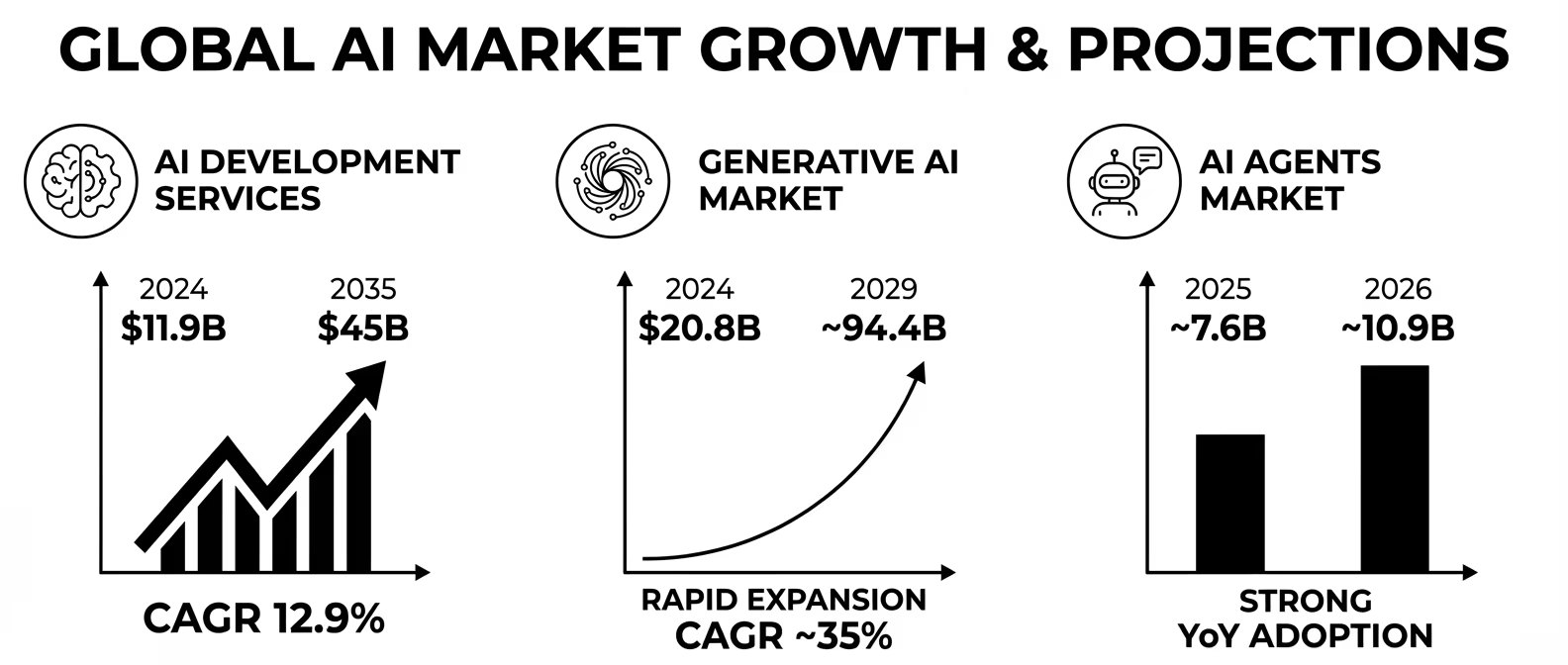
Every business today is looking for smarter ways to improve productivity, reduce costs, and automate repetitive work. This growing demand is driving rapid adoption of Generative AI across industries. In fact, the global Generative AI market is projected to grow from USD 161 billion in 2026 to USD 1,260.15 billion by 2034, expanding at a CAGR of 29.30%, fueled by enterprise AI adoption, foundation model innovation, and industry-specific applications.
When you integrate Generative AI into daily business tasks, computers take on the boring work, leaving people more time to think, plan, and create.
This guide explains, in simple words, how to integrate Generative AI in enterprise workflows the right way. You will learn what it means, why it matters, the steps to do it, the tools you need, the problems you may face, and how to pick the right partner for Generative AI integration services.
By the end, you will know exactly how to start Generative AI in workflow automation in your own company.
What Does It Mean to Integrate Generative AI in Enterprise Workflows?
Generative AI is a type of computer program that can create new content. It can write text, make summaries, answer questions, build reports, and even write code. Tools like ChatGPT, Claude, and Gemini are examples of Generative AI.
When we talk about Generative AI in enterprise workflows, we mean using this smart technology inside the everyday steps a business follows to get work done. A workflow is simply a chain of steps, like receiving an order, checking stock, sending an invoice, and closing the sale. Integrating Generative AI in enterprise systems means placing AI tools inside these steps so they run faster and need less manual work.
Think of it like adding a helpful assistant to every department. This assistant never gets tired, works day and night, and finishes tasks in seconds that would take a person hours.
Why Enterprises Need Generative AI in Workflow Automation Now
Businesses today deal with huge amounts of data, emails, documents, and customer requests. Doing all this by hand slows everything down and increases mistakes. Here is why more companies are integrating Generative AI in workflow automation:
- Saves Time: Generative AI automates repetitive tasks such as creating reports, summarizing documents, processing requests, and responding to common queries. Work that once took hours can now be completed in just a few minutes.
- Cuts Costs: By handling routine and repetitive work automatically, businesses can reduce manual effort and optimize resources. This helps lower operational costs while allowing employees to focus on more valuable responsibilities.
- Reduces Errors: Manual processes are more likely to result in mistakes, especially when dealing with large amounts of data. Generative AI follows consistent rules and processes, helping improve accuracy and reduce costly errors.
- Improves Customer Experience: AI can instantly answer customer questions, generate personalized responses, and provide support around the clock. Faster and more accurate interactions lead to higher customer satisfaction.
- Provides Better Insights: Generative AI can quickly analyze large datasets, reports, and documents to identify trends, summarize information, and highlight important insights. This enables business leaders to make informed decisions more quickly.
- Let’s Teams Focus on High-Value Work: Instead of spending time on repetitive administrative tasks, employees can concentrate on strategic planning, problem-solving, innovation, and building stronger customer relationships. This increases both productivity and job satisfaction.
Where Enterprises Use Generative AI in Enterprise Workflows
Generative AI in enterprise workflows is not limited to one department. It can help almost every team in a company.
Below is a simple table showing common use cases:
| Department | Common Task | How Generative AI Helps |
| Customer Support | Answering customer questions | AI chatbots reply instantly and reduce wait time |
| Human Resources | Screening resumes, writing job posts | AI reads resumes fast and drafts job descriptions |
| Finance | Checking invoices, writing reports | AI spots errors and creates summaries in seconds |
| Sales & Marketing | Writing emails, ad copy, proposals | AI drafts content matching brand tone instantly |
| IT & Operations | Fixing bugs, writing code, and monitoring systems | AI suggests fixes and writes code snippets |
| Legal & Compliance | Reviewing contracts, policies | AI highlights risky clauses and summarizes documents |
Step-by-Step Guide to Integrate Generative AI in Enterprise Workflows
Integrating Generative AI into enterprise workflows requires careful planning, testing, and continuous improvement. Instead of automating every process at once, businesses should start with a focused approach and expand gradually. Follow this step-by-step roadmap to successfully implement Generative AI in your organization.
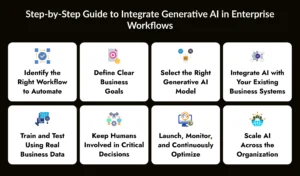
Step 1: Identify the Right Workflow to Automate
Start by selecting a workflow that is repetitive, time-consuming, and follows a clear process. Common examples include customer support responses, document generation, invoice processing, email classification, and report creation. Beginning with a single workflow allows your team to test the technology, measure results, and minimize risks before expanding to more complex processes.
Step 2: Define Clear Business Goals
Before implementing Generative AI, determine what you want to achieve. Your objective could be reducing operational costs, improving response times, increasing productivity, minimizing errors, or enhancing customer satisfaction. Setting measurable goals makes it easier to evaluate the success of your AI implementation and calculate its return on investment (ROI).
Step 3: Select the Right Generative AI Model
Different AI models are designed for different business needs. Some models perform better in content generation, while others excel at coding, customer conversations, document analysis, or data processing. Compare factors such as accuracy, pricing, security, scalability, and integration capabilities before selecting the model that best aligns with your enterprise requirements.
Step 4: Integrate AI with Your Existing Business Systems
The next step is connecting the AI model with the software your business already uses, such as CRM platforms, ERP systems, HR software, email tools, customer support platforms, and databases. Developers typically use APIs to enable secure communication between these systems. A well-planned integration ensures that AI works seamlessly within your existing workflows without disrupting daily operations.
Step 5: Train and Test Using Real Business Data
Before deployment, train the AI using relevant business documents, workflows, and datasets in a secure testing environment. This helps the model understand your organization’s terminology, processes, and communication style. Thorough testing also identifies errors, improves response quality, and ensures the AI performs accurately before it interacts with customers or employees.
Step 6: Keep Humans Involved in Critical Decisions
Although Generative AI can automate many tasks, it should not make high-risk business decisions independently. Sensitive activities such as approving financial transactions, reviewing legal contracts, handling compliance issues, or making hiring decisions should always include human oversight. A human-in-the-loop approach improves accuracy, maintains accountability, and reduces potential business risks.
Step 7: Launch, Monitor, and Continuously Optimize
After deployment, regularly monitor the AI’s performance using key metrics such as response accuracy, processing speed, user satisfaction, cost savings, and workflow efficiency. Collect feedback from employees and customers to identify areas for improvement. Continuous monitoring and regular updates ensure your AI solution remains effective as business needs evolve.
Step 8: Scale AI Across the Organization
Once your first implementation delivers consistent results, gradually expand Generative AI to other departments such as sales, marketing, finance, HR, operations, and customer service. Applying the same structured implementation process across multiple teams reduces adoption challenges and helps build confidence in AI throughout the organization. Over time, this creates a more efficient, connected, and intelligent enterprise workflow.
Do’s and Don’ts When Integrating Generative AI in Enterprise Systems
| Do This | Avoid This |
| Start with one small, clear task | Trying to automate every task at once |
| Keep humans in charge of big decisions | Letting AI approve everything without checks |
| Protect customer and company data | Sharing private data with unchecked AI tools |
| Test with real data before full launch | Skipping testing to save time |
| Train employees on the new AI tools | Assuming staff will figure it out alone |
What Goes Into Building Generative AI Solutions for the Enterprise
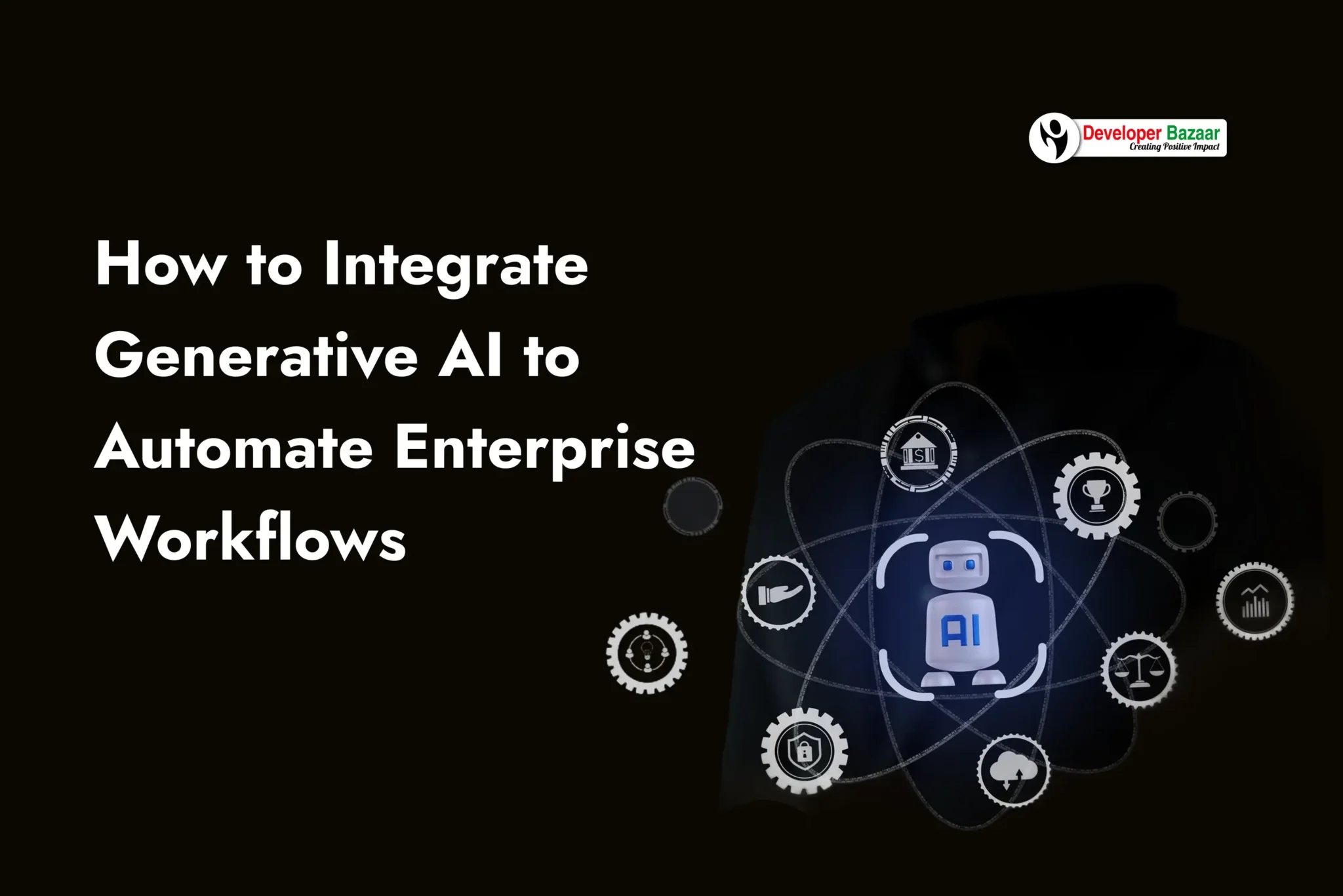
Building Generative AI solutions is more than just plugging in a chatbot. A strong enterprise-grade solution usually has these parts working together:
- Data Layer: This layer stores clean, organized, and high-quality business data that the AI uses to generate accurate responses and insights. Well-managed data improves the overall performance and reliability of the AI system.
- AI Model Layer: This is the core intelligence of the solution where the Generative AI model processes information, generates content, answers questions, and performs assigned tasks. The right model is selected based on your business goals, accuracy requirements, and budget.
- Integration Layer: APIs and connectors allow the AI to communicate with existing business applications such as CRM, ERP, HR software, databases, email platforms, and customer support systems. This enables seamless workflow automation without replacing your current software.
- Security Layer: This layer protects sensitive business information through encryption, access controls, authentication, and compliance measures. It ensures that only authorized users and systems can access confidential data.
- Workflow Layer: The workflow layer defines how tasks move through the business process. It determines which activities are handled automatically by AI and which require human approval before moving to the next step.
- Monitoring Layer: This layer continuously tracks AI performance, including accuracy, response times, usage, errors, and overall efficiency. Monitoring helps businesses identify issues early and improve the system over time.
A trusted partner offering Generative AI development services will design all these layers together, so the final system is safe, reliable, and easy for your team to use.
Common Challenges in Generative AI Integration Services
Every new technology comes with a few bumps in the road. Knowing these challenges in advance helps you plan better.
| Challenge | Why It Happens | Simple Fix |
| Messy company data | Data is spread across many old systems | Clean and organize data before connecting AI |
| Data privacy worries | Sensitive information may leak to public AI tools | Use private, secure AI models with access controls |
| Staff resistance | Employees fear AI will replace their jobs | Train staff and show AI as a helper, not a replacement |
| High starting cost | Custom AI development services can be expensive | Start small, prove value, then scale spending |
| AI mistakes | AI can give wrong or unclear answers sometimes | Add human review for critical steps |
How to Choose the Right Generative AI Development Services Partner
Most companies do not have an in-house team that knows how to safely integrate Generative AI in enterprise workflows. That is why many businesses hire outside experts who offer AI development services. Here is what to look for in a good partner:
- Proven Experience: Check if they have already built AI systems for companies like yours.
- Clear Process: A good partner explains each step, from planning to testing to launch.
- Strong Security Practices: They should follow data protection rules and keep your information safe.
- Flexible Solutions: They should build systems that fit your exact workflow, not a one-size-fits-all tool.
- Ongoing Support: AI needs regular updates, so pick a partner who supports you after launch too.
- Transparent Pricing: A trustworthy provider explains costs clearly with no hidden charges.
The right Generative AI integration services partner acts like a guide, walking with you from the first idea to a fully working, automated workflow.
What Affects the Cost of Generative AI Integration?
The price to integrate Generative AI in enterprise workflows depends on a few simple factors:
- Size of the company and number of workflows to automate
- How messy or clean your existing data is
- Whether you use a ready-made AI tool or build a custom solution
- The number of business systems the AI needs to connect with
- The level of security and compliance your industry needs
Small pilot projects can start with a modest budget, while full enterprise-wide automation is a bigger investment. Most companies see the cost pay for itself within months once time and labor savings add up.
Real Impact of Generative AI in Enterprise Workflows
Consider a mid-size company that used to spend hours every day manually checking invoices against purchase orders. After the company decided to integrate Generative AI in enterprise workflows, an AI tool started reading and matching invoices automatically. What used to take a full workday now takes less than an hour, and the finance team catches more errors than before.
In another case, a customer support team added an AI chatbot to answer common questions. Response time dropped from several hours to under a minute, and customer satisfaction scores went up. These small, focused wins show why so many businesses are investing in Generative AI in workflow automation today.
Popular Tools Used to Integrate Generative AI in Enterprise Systems
Picking the right tool matters as much as picking the right workflow. Different Generative AI platforms are good at different jobs.
Below is a quick look at some common choices companies use when integrating Generative AI in enterprise systems:
| Tool / Model | Best Used For | Good Fit For |
| GPT models | Writing, summarizing, chatbots | Customer support, content teams |
| Claude models | Long document analysis, safe outputs | Legal, compliance, research teams |
| Gemini models | Search-linked answers, data tasks | Marketing, analytics teams |
| Open-source models | Custom, low-cost, private setups | Companies with strict data rules |
A good Generative AI development services team will not push one single tool. Instead, they will pick, or even mix, the model that fits each workflow step best, just like using the right key for the right lock.
How to Measure Success After You Integrate Generative AI
Once your Generative AI in enterprise workflows project goes live, you need simple ways to check if it is really working. Do not just count how many times the AI was used. Instead, track numbers that show real business value.
- Time saved: Compare how long a task took before and after AI.
- Cost saved: Track any drop in labor hours or outside spending.
- Accuracy rate: Check how often the AI gives correct, useful answers.
- Employee feedback: Ask staff if the tool actually makes their work easier.
- Customer satisfaction: Watch if response times and happiness scores improve.
Reviewing these numbers every month helps you know when to expand Generative AI in workflow automation to new teams, and when to slow down and fix a weak spot first.
FAQs
1. Which enterprise workflows deliver the fastest ROI with Generative AI?
The quickest returns usually come from repetitive, high-volume processes such as customer support, document summarization, invoice processing, email management, and report generation. These workflows require significant manual effort, making them ideal for automation. Businesses often see measurable time and cost savings within the first few months of deployment.
2. How do I know if a workflow is suitable for Generative AI automation?
A workflow is a good candidate if it involves repetitive tasks, follows consistent rules, and consumes a lot of employee time. Processes that require generating text, analyzing documents, or responding to common requests are excellent starting points. Beginning with one well-defined workflow also reduces implementation risk.
3. Should enterprises use one AI model or multiple models for different workflows?
Not necessarily. Many organizations achieve better results by combining multiple AI models based on specific use cases. For example, one model may excel at customer conversations, while another performs better for document analysis or coding. Choosing the right model for each workflow often improves accuracy, performance, and cost efficiency.
4. What should businesses measure after deploying Generative AI?
Success should be measured using business-focused metrics rather than AI usage alone. Track improvements such as time saved per task, reduction in manual errors, operational cost savings, employee productivity, customer response times, and overall customer satisfaction. These KPIs provide a clear picture of the AI’s business impact.
5. What are the biggest mistakes companies make during Generative AI integration?
One common mistake is trying to automate every process at once instead of starting with a focused pilot project. Other mistakes include using poor-quality data, skipping employee training, neglecting security controls, and failing to monitor AI performance after deployment. Addressing these issues early leads to a smoother implementation and better long-term results.
6. How can businesses ensure Generative AI remains accurate over time?
Generative AI should be treated as an evolving business system rather than a one-time implementation. Regularly update the AI with current business data, review its outputs, monitor performance metrics, and collect employee feedback. Continuous optimization helps maintain accuracy as business processes, customer expectations, and company data change.