



OpenAI launched ChatGPT in November 2022, and by August 2024, it crossed 200 million monthly active users. This significant growth demonstrates the widespread trust and usage of ChatGPT globally. People use it for writing, coding, data analysis, learning, and many other tasks.
Although ChatGPT is extremely powerful, it still has some limitations. This is where ChatGPT plugins help. Plugins add new features and make ChatGPT smarter and more useful.
In this blog, we will explain what ChatGPT plugins are, why you need them, how to install them, and explore the 10 best ChatGPT plugins in 2026 that you should try.
Key Statistics of ChatGPT Users for 2026
What Are ChatGPT Plugins?
ChatGPT plugins are extra tools that you can add to ChatGPT to make it stronger. Think of them like apps on your mobile phone. Your phone works properly on its own, but apps give it more power. In the same way, plugins improve ChatGPT.
ChatGPT plugins help the AI to:
- Get real-time data from the internet
- Connect to other apps and tools
- Do calculations and data analysis
- Work with emails, files, and calendars
These plugins solve one big problem of AI. ChatGPT is trained on old data, so it may not know the latest news. Plugins help it access fresh information and external services.
Because of this, ChatGPT plugins for developers are very helpful. Developers can build smarter apps, automate tasks, and save time. Many businesses now use plugins with ChatGPT integration services and ChatGPT development services to improve productivity.
Why Do You Need ChatGPT Plugins?
ChatGPT made artificial intelligence easy for everyone. It can answer questions, write content, and even write code. But when you add plugins, it becomes even more powerful.
Why use ChatGPT plugins?
ChatGPT plugins are useful because they help you do more work in less time with efficiency.
With useful ChatGPT plugins, you can:
- Get the latest information by browsing the internet
- Use features from third-party tools
- Perform complex data analysis
- Save and reuse prompts
- Create and manage special datasets
- Get smart AI recommendation results
ChatGPT alone is great, but with plugins, it becomes a complete work assistant. This is why many companies offering AI development services focus on plugins and integrations.

How to Install ChatGPT Plugins?
Now that you know about how the plugins work, learn how to install them.
Step 1: Activate Plugin Features
To activate plugins:
- Log in to your ChatGPT Plus account
- Click on your account name at the bottom right
- Open Settings
- Go to Beta features
- Turn on Plugins (it should be green)
Step 2: Navigate to the Plugin Store
- In ChatGPT, click the dropdown next to GPT-4
- Select Plugins from the menu
Step 3: Find and Install Plugins
- Open the Plugin Store
- Search or browse for plugins
Click Install next to the plugin you want
How to Choose the Best ChatGPT Plugin?
Today, the internet is full of ChatGPT plugins, and new ones are released almost every month. This wide variety makes you confuse about choosing the best ChatGPT plugins. However, by following a few simple steps, you can easily find the right plugin for your needs.
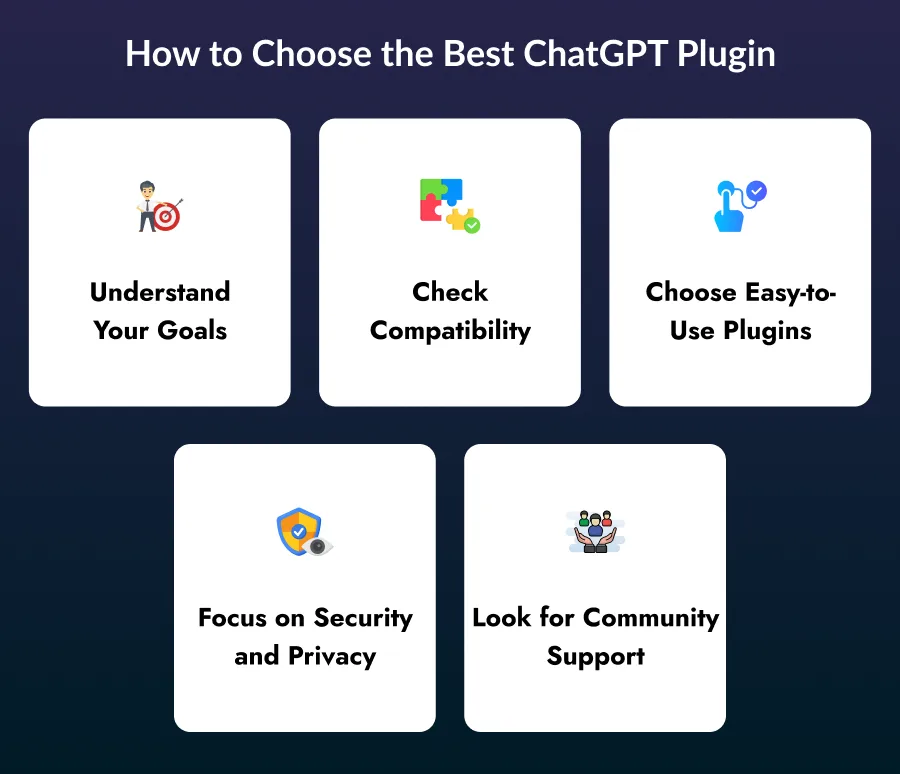
1. Understand Your Goals
Start by identifying what you want ChatGPT to help you with. Whether you need help with writing, coding, data analysis, or design, knowing your goal helps you choose useful ChatGPT plugins that deliver the right results.
2. Check Compatibility
Always make sure the plugin works smoothly with your browser, tools, and daily workflow. This step is crucial for businesses using ChatGPT integration services to avoid technical issues or workflow disruptions.
3. Choose Easy-to-Use Plugins
Select plugins that are simple and user-friendly. A good plugin should be easy to learn and should help you complete tasks quickly without confusion.
4. Focus on Security and Privacy
Before installing any plugin, read its privacy and security policy carefully. Make sure it protects your data, especially when you upload files or share sensitive business information.
5. Look for Community Support
Plugins with a large user base usually perform better and receive regular updates. Strong community support is very helpful for ChatGPT plugins for developers and businesses that need quick help and reliable tools.
Best 10 ChatGPT Plugins in 2026 You Should Try
Below are the top ChatGPT plugins that are widely used in 2026. These plugins help users work faster, think better, and automate daily tasks. They are useful for students, developers, creators, and businesses using AI development services.
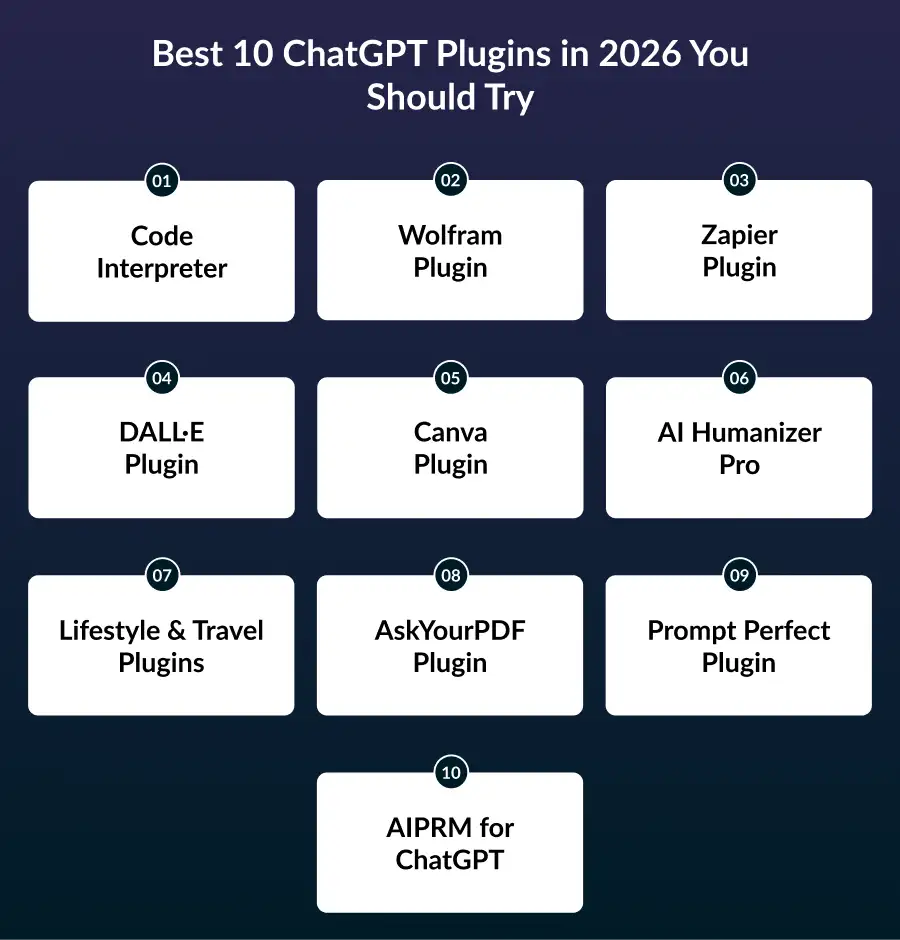
1. Code Interpreter
What does it do?
This plugin enables ChatGPT to run Python code directly inside the chat. You can upload files such as CSV, PDF, or images and ask ChatGPT to analyze, clean, or process the data. It handles calculations, charts, and summaries without switching tools.
Why is it useful?
It saves time by removing the need for coding software or external tools. You can quickly get charts, insights, and calculations in one place. This makes data work faster and easier.
Best for:
Developers, students, researchers, and data analysts who work with numbers and files regularly. It is one of the best ChatGPT plugins and is highly recommended among ChatGPT plugins for developers.
2. Wolfram Plugin
What does it do?
The Wolfram plugin gives ChatGPT access to a powerful math and science engine. It helps solve equations, perform scientific calculations, and create graphs accurately.
Why is it useful?
You can solve complex math problems and visualize data without using separate tools. Everything happens in one conversation, which makes learning easier and faster.
Best for:
Students, engineers, and researchers who need help with math, science, and technical subjects. It is great for learning and advanced problem-solving.
3. Zapier Plugin
What does it do?
Zapier connects ChatGPT with popular apps like Gmail, Slack, Google Sheets, Trello, and many more. It allows ChatGPT to trigger actions across these tools automatically.
Why is it useful?
It automates daily tasks such as sending emails, updating records, or creating tasks. This reduces manual work and improves productivity.
Best for:
Businesses and teams are using ChatGPT integration services and AI development services to automate workflows.
4. DALL·E Plugin
What does it do?
The DALL·E plugin creates images based on text instructions. You simply describe what you want, and it generates a visual image for you.
Why is it useful?
It allows you to create images quickly without any design tools. This is perfect for blogs, ads, and social media posts.
Best for:
Designers, marketers, and content creators who need fast and creative visuals.
5. Canva Plugin
What does it do?
The Canva plugin helps you design posters, presentations, infographics, and social media graphics inside ChatGPT. It uses ready-made templates for easy design.
Why is it useful?
You don’t need any design experience. ChatGPT handles the layout and design, saving time and effort.
Best for:
Small businesses, teachers, bloggers, and marketers who want quick and professional designs.
6. AI Humanizer Pro
What does it do?
This plugin edits AI-generated text to make it sound more human. It improves tone, flow, and emotional connection in content.
Why is it useful?
You can adjust the tone to friendly, formal, emotional, or casual based on your audience. This helps content feel natural and engaging.
Best for:
Writers, bloggers, and marketers who want high-quality and natural content. It is one of the most useful ChatGPT plugins for writing.
7. Lifestyle & Travel Plugins
What do they do?
These plugins help with daily tasks like booking restaurants, finding recipes, and planning travel. They connect ChatGPT with real-world services.
Why are they useful?
You can plan trips, book tables, or find meals without opening other apps. Everything happens in one chat.
Best for:
Everyone who wants convenience and smart planning using AI.
8. AskYourPDF Plugin
What does it do?
AskYourPDF lets you upload PDF files and ask ChatGPT questions about them. It searches the document and gives accurate answers.
Why is it useful?
You don’t need to read long documents manually. ChatGPT quickly finds key points, summaries, and answers.
Best for:
Students, lawyers, researchers, and office workers who work with PDF files often.
9. Prompt Perfect Plugin
What does it do?
Prompt Perfect helps you improve the way you write prompts for ChatGPT. It rewrites your questions in a clearer and more detailed way so ChatGPT can understand exactly what you want.
Why is it useful?
When your prompts are better, ChatGPT gives more accurate and useful answers. This helps you get the best results while using all ChatGPT plugins without trial and error.
Best for:
Anyone who wants better AI responses, especially beginners who are still learning how to write good prompts.
10. AIPRM for ChatGPT
What does it do?
AIPRM adds a library of ready-made prompt templates to ChatGPT. These templates are designed for SEO, marketing, and content writing tasks.
Why is it useful?
You don’t need to create prompts from scratch. You can select expert-built templates and get high-quality results instantly, saving time and effort.
Best for:
SEO experts, bloggers, marketers, and copywriters who want fast, consistent, and reliable content ideas.

Benefits of ChatGPT Plugins
ChatGPT plugins offer many advantages for both individuals and businesses. They help improve work speed, accuracy, and decision-making.
1. Better Communication
ChatGPT plugins understand user questions more clearly and provide quick, accurate responses. This reduces confusion and helps users get the right answers faster. As a result, customer experience becomes smoother and more satisfying.
2. 24/7 Availability
ChatGPT plugins work around the clock without breaks or delays. Customers can get support anytime, even outside normal business hours. This ensures continuous help and builds user trust.
3. Task Automation
Plugins automate repetitive tasks such as sending emails, creating reports, or entering data. This saves a lot of time and reduces manual effort. Teams can focus on more important and creative work.
4. Easy Scalability
As your business grows, ChatGPT plugins can handle more users and tasks easily. They manage an increased workload without slowing down performance. This makes them ideal for growing businesses.
5. Smart Insights
ChatGPT plugins collect and analyze data to provide useful insights. These insights help businesses understand user behavior and trends better. With AI recommendation systems, companies can make smarter and faster decisions.
Conclusion
ChatGPT plugins are changing how people work with AI. They make ChatGPT smarter, faster, and more helpful. In 2026, these plugins will play a big role in business, education, and software development.
If you are a developer, business owner, or student, using useful ChatGPT plugins can save time and improve results. Companies offering ChatGPT development services and AI development services are already using these tools to build better solutions.
ChatGPT plugins help you unlock the full power of ChatGPT. They make work faster, smarter, and easier. From writing and coding to design and automation, there is a plugin for every need.
However, you should always think about security, compatibility, and ease of use. If you want a more flexible option, you can also build your own chatbot using no-code platforms. This gives you full control over workflows and data.
FAQs
1. Can I build a chatbot for Telegram?
A: Yes, you can easily build a Telegram chatbot without any coding skills. No-code tools like GPTBots help you create and launch a chatbot quickly. You can customize it based on your needs.
2. Are chatbots useful for business communication?
A: Yes, chatbots and ChatGPT plugins are very useful for business communication. They help answer customer questions quickly and reduce the workload on support teams. This saves time and improves customer satisfaction.
3. Can I build my own custom chatbot?
Yes, you can build your own chatbot instead of using ready-made plugins. Custom chatbots give you more control over workflows, features, and responses. This is helpful for businesses with specific goals.
4. Do I need to pay for ChatGPT plugins?
Some ChatGPT plugins are available for free, while others require a paid subscription. The cost usually depends on the features and usage limits. You can start with free plugins and upgrade later if needed.
5. Do ChatGPT plugins work on mobile devices?
A. Most ChatGPT plugins work on mobile devices through the ChatGPT app or browser. However, some advanced features may work better on a desktop. The experience can vary based on the plugin.
6. Can using plugins slow down ChatGPT?
A: Yes, using too many plugins at the same time can affect ChatGPT’s speed. To avoid this, enable only the plugins you need for your task. This helps maintain smooth performance.
7. What are the common issues while installing ChatGPT plugins?
A: Common issues include browser compatibility problems or plugin settings being turned off. Checking your ChatGPT settings and updating your browser usually solves these problems.

RM Mishra
Co-Founder
Developer Bazaar technologies