
Key Takeaways:
- The nutrition app market is growing rapidly, making it an excellent time to invest in a nutrition tracker app like Cronometer.
- Start with essential features such as food logging, barcode scanning, nutrition tracking, custom recipes, and progress reports before adding advanced capabilities.
- AI integration adds significant value by enabling photo-based food recognition, personalized diet recommendations, voice logging, and adaptive health goals.
- Choose a scalable technology stack that supports secure health data storage, third-party nutrition APIs, wearable device integrations, and future feature expansion.
- Offer multiple monetization options such as subscriptions, freemium plans, professional dashboards, affiliate partnerships, and in-app advertising to maximize revenue.
- Focus on continuous improvements by analyzing user feedback, releasing regular updates, and adding new features to increase user engagement and long-term retention.
Every year, more people open a food-tracking app before they open their fridge. They want to know what they eat, how many calories they take in, and how it affects their body.
This simple habit has turned into a huge digital business. If you want to build your own app like the popular Cronometer, this guide will walk you through every single step.
What Is a Nutrition Tracker App Like Cronometer?
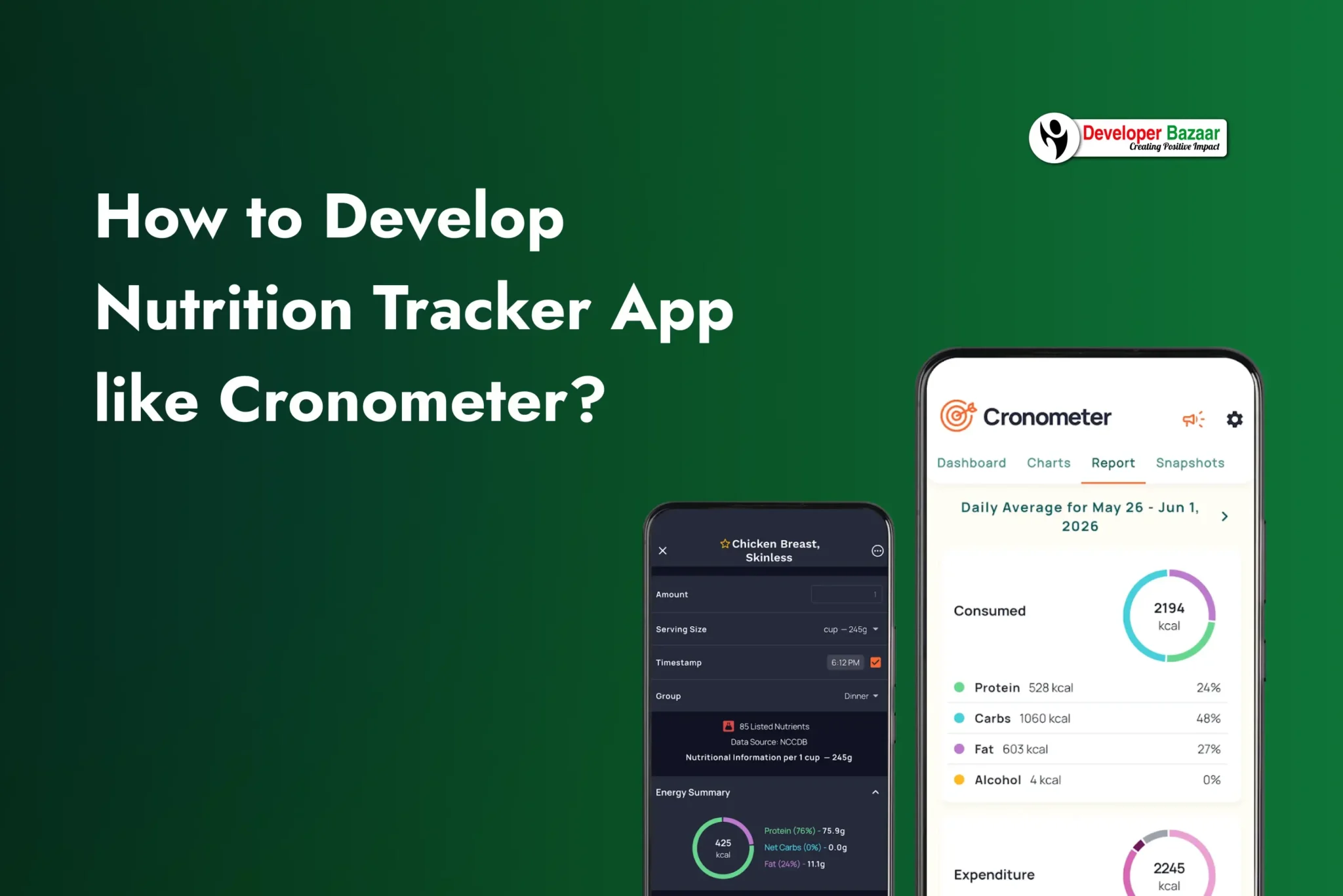
A nutrition tracker app is a mobile tool that helps people record what they eat every day. Cronometer is one of the most trusted apps of this kind. It does not just count calories. It also tracks protein, fat, carbs, vitamins, and minerals in deep detail.
People use Cronometer to log meals, scan barcodes on food packets, build their own recipes, and connect the app with fitness bands like Fitbit or Garmin. Athletes, dietitians, gym-goers, and even regular families use it to eat better and stay healthy.
Cronometer earns money through a free plan and paid plans. The free plan lets users track basic calories and nutrients. The paid “Gold” plan gives deeper reports and extra tools. There is also a “Pro” plan made for dietitians and health clinics who want to guide many patients at once.
Why Build an App Like Cronometer in 2026?
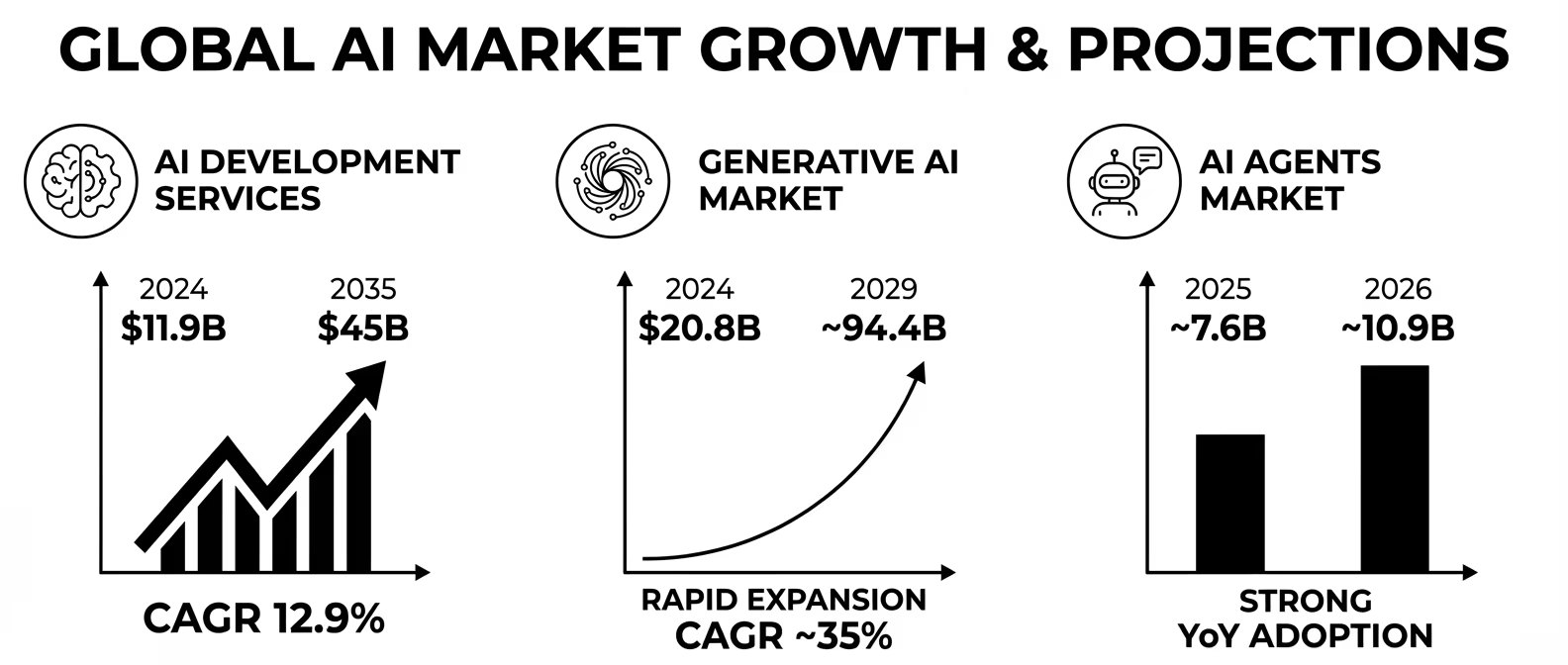
Health awareness is growing fast across the world, and the numbers prove it. Global spending on diet and nutrition apps stood close to $16.91 billion in 2026 and is set to climb to about $35.08 billion by 2030, growing at a strong yearly rate of around 20%. This growth comes from more people owning smartphones, more health-related worries, and a rising love for wearable fitness gadgets.
Companies that build nutrition apps today are also adding smart AI tools such as photo-based food recognition and personal diet coaching. This means a new app entering the market has a real chance to stand out, as long as it is well planned and well built.
- Growing health awareness: People now care more about long-term wellness than quick fixes, so they want tools that track real data, not guesses.
- Rising use of wearables: Smartwatches and fitness bands are common now, and a nutrition app that connects with them adds huge value.
- Demand for personal plans: Users want food advice made just for them, not one plan for everyone.
- Multiple ways to earn money: A nutrition app can earn through subscriptions, ads, professional plans, and partnerships with health brands.
Must-Have Features for a Calorie and Nutrition Tracker App
Before any coding starts, you must decide what your app will actually do. Below is a basic list of features every strong nutrition tracker app needs, split into basic and advanced groups.
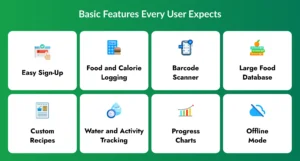
Basic Features Every User Expects
1. Easy Sign-Up
Allow users to create an account using their email address or social login options like Google or Apple. During onboarding, collect basic details such as age, height, weight, and health goals to personalize their nutrition plan.
2. Food and Calorie Logging
Make it easy for users to record meals throughout the day with just a few taps. The app should instantly calculate and display calories and nutritional values after each entry.
3. Barcode Scanner
Enable users to scan packaged food barcodes instead of searching manually. This saves time and automatically adds the product’s nutrition details to their daily food log.
4. Large Food Database
Provide access to a comprehensive food database containing thousands of local and international food items. Users should be able to quickly search foods and view detailed nutrition information.
5. Custom Recipes
Allow users to create their own meals by adding individual ingredients and serving sizes. The app should automatically calculate calories, macronutrients, and other nutritional values for the recipe.
6. Water and Activity Tracking
Help users monitor their daily water intake along with physical activities such as walking, running, or gym workouts. This gives them a complete overview of their daily health habits.
7. Progress Charts
Display simple and easy-to-read charts that show changes in weight, calorie intake, nutrients, and fitness progress over time. Visual reports help users stay motivated and track their goals.
8. Offline Mode
Allow users to log meals and activities even when they don’t have an internet connection. Once the device reconnects, all offline data should automatically sync with the cloud.
Advanced Features That Make the App Stand Out
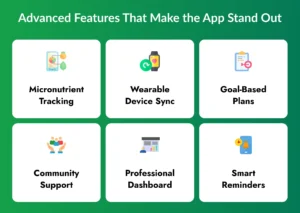
1. Micronutrient Tracking
Go beyond calorie counting by tracking important vitamins, minerals, and electrolytes. This helps users maintain a balanced diet and identify potential nutritional deficiencies.
2. Wearable Device Sync
Integrate with popular fitness platforms like Apple Health, Google Fit, Fitbit, and Garmin. This automatically imports activity, heart rate, sleep, and workout data into the app.
3. Goal-Based Plans
Offer personalized nutrition and meal plans based on specific fitness goals such as weight loss, muscle gain, keto, diabetic-friendly, or vegan diets. These plans can adapt as users make progress.
4. Community Support
Build a community where users can share achievements, recipes, challenges, and health tips. Social interaction encourages accountability and keeps users motivated throughout their fitness journey.
5. Professional Dashboard
Create a dedicated dashboard for dietitians, nutritionists, and fitness coaches to monitor client progress, review food logs, and provide personalized recommendations remotely.
6. Smart Reminders
Use intelligent notifications to remind users about meals, hydration, workouts, or goal check-ins based on their daily routine. Personalized reminders improve consistency without feeling intrusive.
Step-by-Step Process to Develop a Nutrition Tracker App Like Cronometer
Building a health app is not just about writing code. It needs careful planning at every stage. Below is the full process in eight steps.
Step 1: Study the Market and Your Users
Start by studying apps like Cronometer, MyFitnessPal, and Lose It. Read what users like and what they complain about. Decide who your app is for, such as weight-loss seekers, athletes, dietitians, or people with health conditions like diabetes. This step shapes every choice you make later.
Step 2: List Your Core Features
Write down every feature you want. Then sort them into “must-have” and “nice-to-have” groups. Most teams launch with the must-have list first and add extra tools in later updates. This keeps the first version simple and fast to build.
Step 3: Design a Simple and Clean UI/UX
A nutrition app is used many times a day, so it must feel light and quick. Keep menus short, buttons big, and the food-logging screen just one or two taps away. Build a clickable prototype first and test it on real people before writing any code.
Step 4: Build the Food Database and Backend
This is the engine room of the app. Developers connect the app to a large, verified food database, often through APIs such as Edamam or Nutritionix, and build the logic that turns food entries into accurate calorie and nutrient numbers. A secure login system and cloud database are also set up here so user data stays safe and synced across devices.
Step 5: Develop the Core App and Add Integrations
Now the main features come to life, such as meal logging, the barcode scanner, custom recipes, and water tracking. This is also the stage where the app connects to wearable devices and health platforms like Apple Health and Google Fit, so users get one full picture of their health in a single place.
Step 6: Add AI-Powered Tools
Artificial intelligence turns a normal tracker into a smart health assistant. This can include photo-based food recognition, smart diet tips, and predictive suggestions. The next section covers this part in full detail.
Step 7: Test the App Thoroughly
Health apps handle personal data, so testing must be strict. Check that calorie numbers are correct, that wearable connections work, that data stays private, and that the app runs smoothly on many phone models and screen sizes.
Step 8: Launch and Keep Improving
Publish the app on the Apple App Store and Google Play Store. After launch, watch how people use the app, collect their feedback, fix bugs quickly, and roll out new features often. A health app that stops improving loses users fast, so this last step never really ends.
How AI Integration Makes a Nutrition Tracker App Smarter
Artificial intelligence is now the biggest trend in health apps. Reports show that companies are racing to add AI tools that give users personal, real-time nutrition support instead of plain calorie counting. Here are the AI features worth adding to your app.

1. Smart Food Recognition
Users can simply take a photo of their meal, and AI identifies the food items, estimates portion sizes, and calculates calories and nutritional values within seconds. This makes food logging faster and more convenient.
2. Personal Diet Tips
AI analyzes a user’s eating habits, fitness goals, allergies, and nutrition history to provide personalized meal suggestions and healthier alternatives. The recommendations become more accurate as the app learns from user behavior.
3. Voice-Based Logging
Instead of typing every meal, users can describe what they ate using voice commands. AI converts the spoken input into structured food entries with estimated calories and nutrients, saving time and effort.
4. Habit Pattern Alerts
AI continuously monitors eating and activity patterns to identify habits such as frequent late-night snacking, skipped meals, or low water intake. It then sends gentle reminders and suggestions to encourage healthier routines.
5. Real-Time Nutrient Alerts
As users log their meals, AI tracks their daily nutrient intake and instantly alerts them if they exceed recommended limits for sugar, sodium, saturated fat, or other nutrients. It can also recommend healthier food choices to maintain a balanced diet.
6. Adaptive Goal Setting
AI automatically adjusts calorie, protein, carbohydrate, and fat targets based on a user’s weight changes, activity levels, and progress toward their health goals. This ensures nutrition plans remain realistic and effective over time.
By integrating these AI-powered capabilities, a nutrition tracker app becomes more than a food diary, it evolves into a smart digital nutrition coach that provides personalized guidance, improves user engagement, and supports long-term healthy lifestyle habits.
Best Tech Stack to Build an App Like Cronometer
Choosing the right technology keeps your app fast, safe, and easy to update. Here is a tech stack many health app developers trust.
| Layer | Recommended Technology |
| Mobile Frontend | React Native, Flutter, Swift (iOS), Kotlin (Android) |
| Backend / Server | Node.js, Django, or Ruby on Rails |
| Database | MongoDB, PostgreSQL, or MySQL |
| Nutrition Data APIs | Edamam API, Nutritionix API, USDA Food Data API |
| Cloud & Storage | Amazon Web Services, Google Cloud Platform, Firebase |
| Login & Security | OAuth 2.0, JWT, end-to-end data encryption |
| Device Integrations | Apple Health, Google Fit, Fitbit, Garmin |
| Analytics | Google Analytics, Mixpanel |
Cost to Develop an App Like Cronometer
The cost to develop a nutrition tracker app like Cronometer depends on how many features you want, how many platforms you target, and how much AI you add.
| App Type | Key Features Included | Estimated Cost | Time to Build |
| Basic App | Food logging, calorie count, simple database, basic UI | $15,000 – $30,000 | 2 – 3 months |
| Mid-Level App | Barcode scanner, custom recipes, wearable sync, charts | $30,000 – $55,000 | 4 – 6 months |
| Advanced App with AI | Photo food recognition, AI coaching, pro dashboard, full integrations | $55,000 – $85,000+ | 6 – 9 months |
These numbers are only rough estimates. The final cost also depends on your developer’s location, the design quality you want, and how many app updates you plan after launch. Working with an experienced healthcare app development team helps you avoid extra costs from rework and delays.
Ways to Earn Money from a Nutrition Tracker App
A well-designed nutrition tracker app can generate consistent revenue through multiple monetization strategies. By combining premium features, subscriptions, professional services, and strategic partnerships, you can create a sustainable business model while continuing to deliver value to users.

1. Freemium Model
Offer essential features like calorie tracking, meal logging, and water tracking for free to attract a large user base. Charge users for advanced features such as AI-powered insights, detailed nutrition reports, and personalized meal plans.
2. Subscription Plans
Provide monthly or annual subscription plans that unlock premium features, including custom diet plans, wearable integrations, advanced analytics, and an ad-free experience. Recurring subscriptions create a steady and predictable revenue stream.
3. Professional Plans
Offer dedicated plans for dietitians, nutritionists, fitness coaches, and healthcare clinics. These plans can include client management dashboards, progress tracking, personalized recommendations, and reporting tools for managing multiple clients efficiently.
4. In-App Ads
Generate advertising revenue by displaying relevant and non-intrusive ads related to healthy food, fitness equipment, wellness services, or nutrition products. Carefully placed ads can increase earnings without affecting the user experience.
5. Affiliate Partnerships
Partner with trusted health, fitness, and nutrition brands to recommend products such as supplements, healthy meal kits, fitness programs, or wellness devices. You earn a commission whenever users purchase products through your affiliate links, creating an additional source of income.
Why Choose Developer Bazaar Technologies to Build Your Nutrition Tracker App
Building an app like Cronometer needs more than just coding skill. It needs a team that understands health data, food science logic, and how to keep users engaged every single day. Developer Bazaar Technologies (DBT) offers full mobile app development services for founders who want to enter the health and fitness space with confidence.
- Healthcare App Development Services: We build apps that follow health-data best practices and handle sensitive user information with care.
- Fitness App Development Services: From step tracking to workout logging, DBT adds fitness features that keep users active and engaged.
- AI App Development: The AI integration team can add smart food recognition, coaching, and prediction tools to your app.
- Mobile App Development Services: We build for both Android and iOS, using modern, scalable technology from day one.
Whether you want to create an app like Cronometer from scratch or upgrade an existing health platform with AI, DBT can guide you through every stage, from the first idea to the app store launch.
Conclusion
Health tracking is no longer a passing trend. It is becoming a daily habit for millions of people, and the market for diet and nutrition apps is growing fast. Building a nutrition tracker app like Cronometer takes careful planning, a strong food database, a clean design, and smart AI tools that make daily tracking feel effortless.
If you follow the steps in this guide, from market research to launch, you can build an app that truly helps people eat better and live healthier lives. And if you want expert hands to bring this idea to life, Developer Bazaar Technologies is ready to help you build, launch, and grow your own app like Cronometer.
FAQs
1. Which nutrition database should I use for a nutrition tracker app like Cronometer?
The right database depends on your target audience and region. Popular options include USDA FoodData Central, Edamam, and Nutritionix APIs, as they provide verified nutritional information, barcode support, and extensive food catalogs. Many apps also combine multiple databases to improve food coverage and accuracy.
2. How can AI improve the accuracy of food logging in a nutrition tracker app?
AI can identify food items from photos, estimate portion sizes, process voice-based meal entries, and learn from a user’s eating habits over time. This reduces manual input while making calorie and nutrient tracking faster and more accurate.
3. What security measures are essential for a nutrition tracker app that stores health data?
Your app should use secure user authentication, encrypted data storage, secure APIs, and cloud infrastructure that follows healthcare data protection best practices. Regular security testing and controlled user permissions also help protect sensitive health information.
4. Can a nutrition tracker app support both individual users and professional dietitians?
Yes. Many successful nutrition apps include separate dashboards for healthcare professionals, allowing dietitians and nutritionists to monitor multiple clients, review food logs, track progress, and provide personalized nutrition guidance from a single platform.
5. What features help increase user retention in a nutrition tracker app?
Features such as AI-powered diet recommendations, progress reports, wearable device integration, personalized reminders, meal planning, achievement badges, and community support encourage users to stay active and continue using the app over the long term.