

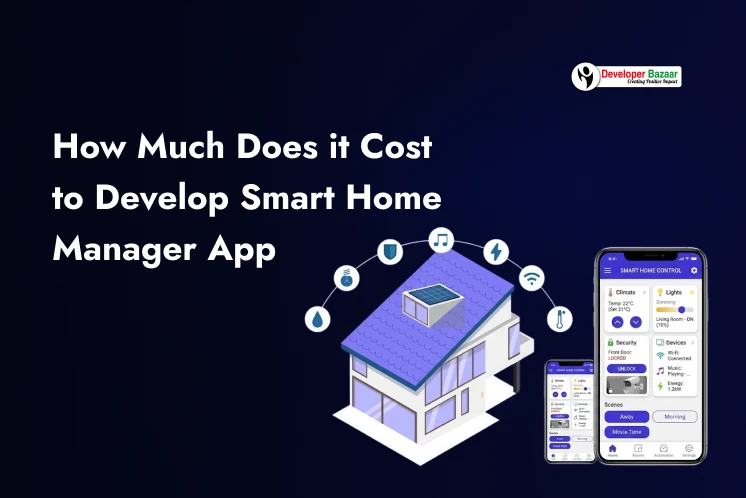
We live in a digital world where technology is part of our daily life. From switching lights to controlling security systems, everything is becoming smarter and easier. This is possible because of smart home automation.
If you plan to develop smart home manager app, this blog will help you understand how it works, why it is a great investment nowadays and most importantly, how much it costs to build smart home automation system in 2026.
Firstly, we will understand how it works and its market value.
How Does Smart Home Automation Work?
A better understanding will help you design smarter features and improve user experience.
Smart home automation works by connecting different devices through the Internet of Things (IoT). These devices include lights, thermostats, security cameras, smart locks and even more. All these devices communicate with each other through the internet and can be controlled using a mobile app or voice assistants.
When you develop the smart home manager app, this app becomes the central point from where users can monitor and control all connected devices anytime and from anywhere.
Main Components of Smart Home Automation
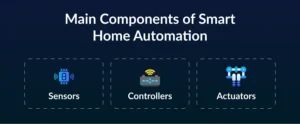
To build smart home automation app, you need to understand its three main components:
1. Sensors
Sensors are responsible for collecting real-time information from the environment. They detect changes like motion, temperature, light, humidity or smoke.
For example, a motion sensor can detect when someone enters a room. Based on this input, the system can automatically turn on the lights.
2. Controllers
Controllers are the devices or applications that process the data received from sensors and decide what action to take.
These are usually smartphones, tablets or a central hub connected to your system. When you develop smart home automation app, this app works as the controller.
For example, if a sensor detects high temperature, the controller can send a command to turn on the air conditioner. Users can also manually control devices through the app.
3. Actuators
Actuators are the components that perform the actual action based on commands received from the controller. These include devices like smart lights, smart locks, switches and motors.
For example, when the controller sends a signal, the actuator can turn off the lights or lock the door automatically.
Real-Life Example
Suppose you come home in the evening:
- The motion sensor detects your presence
- The controller (your app) processes this data
- The lights turn on automatically
- The thermostat adjusts the room temperature
All of this happens without you touching anything.
Why Invest In Smart Home Automation App Development: Market Overview
The smart home industry is expanding rapidly because people look for more comfort, safety and convenience in their daily lives. From controlling lights to managing security systems, users now expect everything to be accessible through a single app.
If you are planning to create a smart home manager app, this is the right time to enter the market. The demand is strong and the opportunities are growing every year.
Key Market Insights
Here are some important statistics that show the growth potential of this industry:
-
- The global smart home market was valued at $60 billion in 2022
- The wireless technology segment is growing even faster at 12% CAGR
- The average revenue per user is around $372.10
- According to market research, the global smart home market is projected to reach $95.83 billion by 2026
- It is further expected to grow to $139.24 billion by 2032, with a CAGR of 6.4%
- The number of active users is expected to reach 785 million by 2028
These numbers clearly show that the market is growing and becoming more profitable over time.
Why Businesses Should Invest?
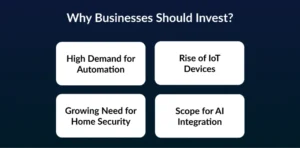
When you develop smart home automation app, you are entering a market with strong demand and long-term growth potential. Here are the key reasons why businesses are investing in this space:
1. High Demand for Automation
People want to save time and effort. Smart apps help users control multiple devices easily from one place.
2. Rise of IoT Devices
The number of connected devices is increasing every year. This creates more opportunities to build smart home automation application that can manage all devices smoothly.
3. Growing Need for Home Security
Security is a major concern for users. Features like real-time alerts, smart locks, and surveillance systems make smart home apps more valuable.
4. Scope for AI Integration
You can integrate an AI recommendation system to make the app smarter. For example, the app can learn user behavior and automatically adjust lighting or temperature.
Use Cases for Smart Home Mobile Apps
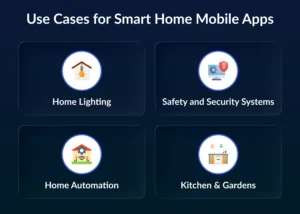
When you want to build a smart home manager app, you create solutions that make everyday life easier, safer and more comfortable.
1. Home Lighting
Smart lighting helps users control lights in a smart way. Users can adjust brightness, change colors or set lighting based on mood and time of day. The system can also automate lighting, such as turning lights ON when someone enters a room and OFF when the room is empty.
- Users can create different lighting settings for events like parties or relaxation
- Lights can work automatically using motion sensors
- Voice assistants or mobile apps can control lighting easily
2. Safety and Security Systems
Security is one of the main reasons people create smart home manager app solutions. These apps allow users to monitor their homes from anywhere. They can check live camera feeds, receive alerts and control locks remotely.
- Real-time monitoring of cameras, doorbells, and sensors
- Instant alerts for unusual activities
- Remote control of doors and windows
3. Home Automation
Home automation is the core functionality when you develop smart home automation app. It allows users to automate daily tasks and control multiple devices from one platform.
- Users can adjust thermostat settings automatically
- Turn devices ON or OFF with a single tap
- Create routines like “Good Morning” or “Good Night”
4. Kitchen & Gardens
Smart home apps also improve safety and efficiency in kitchens and gardens. Sensors can detect problems and take action instantly.
- Detect gas leaks, smoke, or water leakage
- Automatically shut down systems in case of danger
- Monitor plant health, sunlight, and water levels

How Much Cost to Develop Smart Home Manager App in 2026
The cost to develop smart home manager app depends on several important factors such as features, design complexity, technology used, and the location of the development team. Each of these elements plays a key role in deciding the final budget.
On average, the smart home automation app development cost in 2026 ranges between $50,000 to $120,000
This cost can vary depending on whether you want a basic app or a fully advanced solution with automation and AI capabilities.
| Development Stage | Estimated Cost (USD) |
| UI/UX Design | $5,000 – $15,000 |
| App Development (Frontend + Backend) | $20,000 – $50,000 |
| IoT Integration | $10,000 – $25,000 |
| AI Recommendation System | $5,000 – $15,000 |
| Testing & Quality Assurance | $5,000 – $10,000 |
| Maintenance & Updates | $5,000 – $10,000/year |
What Factors Affect the Development Cost
Understanding these factors will help you better plan your budget when you build a smart home manager app:
1. Features & Complexity
The number and type of features directly impact the cost. Basic features cost less, while advanced automation and integrations increase the overall budget.
2. Design Quality
A simple design is more affordable, but a custom and interactive UI/UX requires more time and investment.
3. Development Team Location
The cost varies depending on where your development team is located. For example, development in North America is usually more expensive than in Asia.
4. Technology Stack
Using advanced technologies, frameworks, and integrations (like IoT and AI) can increase the development cost but also improve app performance and scalability.
Must-Have Features in a Smart Home Manager App
To develop a smart home manager app, you must include features that make the app useful, reliable and easy to use.
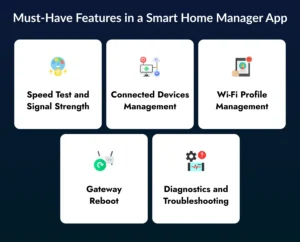
1. Speed Test and Signal Strength
This feature helps users check their internet performance directly from the app. It shows the speed and signal strength, which helps users understand if their network is working properly.
- Users can test the internet speed anytime
- Helps identify slow or weak connections
- Can be automatic or manual, based on app design
This feature improves user satisfaction by providing quick insights into network performance.
2. Connected Devices Management
This is one of the most important features for a smart home manager app. It allows users to manage all connected devices from one place.
- Users can view all devices connected to Wi-Fi
- Pause or block specific devices
- Set schedules to control device usage
3. Wi-Fi Profile Management
This feature allows users to manage their Wi-Fi settings easily through the app. It removes the need for technical steps and makes the process simple.
- Change Wi-Fi name and password
- Share network details using QR codes
- Create profiles for different users or devices
4. Gateway Reboot
Many users face issues when their internet stops working and they are not at home. This feature solves that problem by allowing remote reboot of the network.
- Restart the router from anywhere
- Keep important devices like cameras active
- Reduce the need for technical support
5. Diagnostics and Troubleshooting
This feature helps users detect and fix issues without waiting for customer support. It improves the overall experience by offering quick solutions.
- Detect network or device problems
- Provide step-by-step solutions
- Reduce downtime and frustration
How to Build Smart Home Manager App in 2026?
To create a smart home automation app, it is important to follow a clear and structured process. Each stage plays a key role in making sure the final product is useful and reliable.
1. Ideation
Ideation is the first and most important step in the development process. At this stage, you define the purpose of your app and what problem it will solve. You also decide your target users and how your app will serve them.
For example, you may choose to build the app for your own business or create a white-label solution that other companies can customize and use. In this phase, you also plan the core features and functionalities that your app will include.
2. Design
The design stage focuses on creating a simple and user-friendly interface. The goal is to make it easy for users to control and manage their smart home devices without confusion. Designers work on creating the UI/UX layout, defining how users will move from one screen to another, and ensuring smooth navigation.
At the same time, brand guidelines such as colors, fonts, and style are also considered to maintain consistency.
3. Development
In the development stage, the actual building of the app begins. Developers create both the frontend (what users see) and the backend (how the app works behind the scenes). They also integrate APIs and connect the app with IoT devices so that users can control their smart home systems seamlessly. Special attention is given to ensure that all devices communicate smoothly with each other, even when the user is far from their home network.
4. Testing and Launch
After development, the app undergoes a thorough testing process to ensure it works smoothly and efficiently. The goal is to make sure the app works properly on different devices and platforms. Teams test the app for performance, security, and usability while identifying and fixing any bugs or errors.
After all issues are resolved and the app meets quality standards, it is launched on app stores for users.
How to Choose a Smart Home App Development Company
Selecting the right partner is a critical step when you plan to develop a smart home manager app. The success of your project depends on your idea and the team that brings it to the real world. A reliable company will help you build a secure, scalable, and user-friendly application.
1. Check Expertise in IoT
Smart home apps rely heavily on IoT technology. You should choose a company that has strong experience in building connected systems and handling device integrations. This ensures smooth communication between devices and better app performance.
2. Review Portfolio and Case Studies
Always review the company’s previous work before making a decision. A strong portfolio shows their ability to build smart home automation app solutions with real-world success. It also gives you an idea of their design quality and technical skills.
3. Client Reviews and Testimonials
Client feedback helps you understand how the company works. Positive reviews indicate reliability, good communication, and timely delivery. This reduces risks during development.
4. Technology Stack and Innovation
A good development company uses modern tools and technologies. They should also be able to integrate advanced features like an AI recommendation system to make your app smarter and future-ready.
5. Understand Pricing and Transparency
Before starting, discuss the full App Development Cost. A professional company will provide clear pricing and avoid hidden charges. This helps you manage your budget effectively.
Why Choose Developer Bazaar Technologies to Build a Smart Home Manager?
When you decide to create a home automation app, partnering with an experienced Ai App development company, Developer Bazaar Technologies can make a big difference. They offer end-to-end development solutions tailored to your business needs.
1. Expertise in Smart Technologies
The company has experience in IoT, AI, and mobile app development. Their team understands how to develop customized app solutions that are secure, scalable, and high-performing.
2. Custom and Scalable Solutions
They focus on building apps that match your business goals. Whether you want a basic app or a feature-rich platform, they can help you build a home manager app that grows with your business.
3. User-Centric Design Approach
Their design team creates simple and intuitive interfaces. This ensures that users can easily control devices without confusion, improving overall user experience.
4. Integration of Advanced Features
They integrate advanced functions, automation workflows and real-time monitoring to enhance your app’s capabilities.
5. End-to-End Mobile App Development Services
From idea to launch, they provide complete mobile app development services. This includes design, development, testing, and ongoing support, ensuring a smooth development journey.
6. Cost-Effective Development
They help you optimize the smart home automation app development cost by offering the right balance between quality and budget.
Conclusion
Smart home advanced technology brings changes to how people live and interact with their homes. As the demand continues to grow, businesses have a great opportunity to enter this market.
It is the right time to enter this competitive world and develop a smart home manager app. With the right features, strong technology, and a reliable development partner, you can build a powerful solution that delivers real value to users.
Understanding the cost, development process and key features will help you make better decisions and achieve long-term success.
FAQS
1. How long does it take to build a Smart Home Manager App?
It typically takes around 3 to 6 months to build smart home manager app, depending on the complexity and number of features.
2. What technologies are used in smart home app development?
Smart home apps use technologies like IoT, cloud computing, APIs, and sometimes AI. Many businesses also integrate an AI recommendation system to improve automation and user experience.
3. Can the app be upgraded after launch?
Yes, you can easily upgrade the app after launch. You can start with basic features and later develop smart home automation app with advanced features as your business grows.
4. Can a smart home app work without the internet?
Some basic features may work on a local network, but most smart home apps need the internet for remote access and real-time updates. Internet connectivity ensures full functionality and control.
5. How secure are smart home automation apps?
Security depends on the development approach. With proper encryption, secure APIs, and authentication methods, developers can build highly secure smart home applications.
6. Can smart home apps be customized for different industries?
Yes, businesses can customize apps for residential, commercial or industrial use. Features can be tailored based on specific needs and user requirements.
7. Do smart home apps support voice assistants?
Yes, most modern apps support voice assistants. Users can control devices using voice commands through platforms like Alexa or Siri for added convenience.